|
Browse By PC Games Title:
|
|
|
|
Jedi Knight Jedi Academy Cheats |
Jedi Knight - Jedi Academy

Cheat Codes:
------------
This game is titled also "Star Wars Jedi Knight: Jedi Academy"

Cheat mode:
-----------
Update by: Cesar Marcano
Submitted by: conner54

To enable Jedi Academy cheats, while playing a game, bring down the console with [Shift]+[~]
and type: "devmapall". You can then enter any of the following codes in the console:

Code             Result
-----------------------
god            - God mode
noclip         - No clipping mode
notarget       - Enemies ignore you
kill           - Kill yourself
give all       - All weapons and health/armor at max
give health    - Health at 100%
give armor     - Armor at 100%
give ammo      - Ammo at 100%
npc kill all   - Kill all non-player characters
shaderlist     - Show shaders
undying        - Dead mode
quit           - Quit game
shaderlist     - Show shaders
devmap         - Load map with cheats on map saberColor 1, 2, 3, 4, 5 etc
timescale #    - # can be .5 for 1/2 speed, normal 1 or 2x speed at 2, etc
levelshot      - screen shot without console
where          - Warp
setviewpos     - ?
force_heal     - use force heal
taunt          - kyle taunts (map to a key if you want)
victory        - End level
fly_xwing      - Fly an X-Wing
drive_atst     - Ride an ATST
screenshot     - Screenshot
thereisnospoon - bullet time
map pit        - go to pit level
npc spawn      - Spawn character from list below

cultist
cultist_grip
cultist_saber
cultist_saber_strong_throw
cultist_saber_strong_throw2
human_merc
human_merc2
kyle
luke
player
reborn_dual
reborn_new
reborn_new2
reborn_staff

npc kill all       - Kill all NPC's (Non player characters)
d_npc freeze 1     - Freeze NPC characters
d_npc freeze 0     - Unfreeze NPC's
give               - Get item
give inventory     - max inventory
setsaberall <1-10> - Get lightsaber abilities

Jedi Force Cheats
setForceJump (level) (1 - 3)
setForceHeal (level) (1 - 3)
setForcePush (level) (1 - 3)
setForcePull (level) (1 - 3)
setForceSpeed (level) (1 - 3)
setForceGrip (level) (1 - 3)
setForceLightning (level) (1 - 3)
setForceAll (level) (1 - 3) - Sets Force Level of All Abilities

setSaberThrow   (level) (1 - 3)
setSaberOffense (level) (1 - 3)
setSaberDefense (level) (1 - 3)
g_saberrealisticcombat 9 - slice off hands,heads


Hint:
-----
Submitted by: Metal Rulez

Here is one bug which can bring the blaster pistol from Jedi Outcast
in Jedi Academy.
What you need to do is simple - swich to your Concussion Rifle and hold
LMB until your ammo run out. And here you are whit the favourite weapon of
Kayle Katarn. Simple heh? I bet you can find applications to this.

NOTE: This weapon fire much faster than the new Blaster Rifle in Jedi Academ


Changing saber colors:
----------------------
When using the sabercolor <1-2>   code, the following values
can be used for  and .
green
red
blue
yellow
purple
orange

sabercolor 1 will make the right-hand saber (for dual sabers) .
sabercolor 2 will make the left hand saber (for dual sabers) .
sabercolor 1   will make the top part of the saber staff
 and the bottom part . For example, to have a saber staff
(two handed saber) green, use the sabercolor 1 green green code.
You can also change saber colors for the NPCs. For example, use the following
to change Kyle's saber color. First, enable the notarget code. Then, enter the
playerteam free or playerteam enemy code. Next set Mind Trick to level 4 then
Mind Trick Kyle. Then, type sabercolor 1 green and Kyle will have a green
lightsaber. When you are done, enter playerteam player and notarget and you
continue the game.


Vehicle names:
--------------
Use one of the following entries with the npc spawn vehicle code.
swoop
atst_vehicle
lambdashuttle
rancor_vehicle
swoop
swoop_cin
swoop_mp
swoop_mp2
swoop_red
tauntaun
template
tie-fighter
tie-bomber
tie-bomber2
wampa_vehicle
wildtauntaun
x-wing
yt-1300 (requires mod that makes the Millennium Falcon (Correllian freighter)
usable)
z-95


Item names:
-----------
Use one of the following entries with the give or spawn codes.
Information in this section was contributed by TK-425.
ammo_blaster
ammo_emplaced
ammo_force
ammo_metallic_bolts
ammo_powercell
ammo_rockets
ammo_thermal
ammo_tripmine
atst_main
atst_side
blaster
blaster_pistol
bowcaster
bryar_pistol
concussion_rifle
demp2
det_pack
disruptor
emplaced_gun
flechette
jawa
melee
misc_atst_drivable
misc_ion_cannon
noghri_stick
null
rapid_concussion
repeater
rocket_launcher
saber
scepter
stun_baton
thermal
tie_fighter
trip_mine
turret
tusken_rifle
tusken_staff


Lightsaber variations:
----------------------
Use the following combinations of these core saber commands with the saber
command for different effects.
dual_<1-5>
empty
single_<1-9>
sith_sword
tavion
kyle_boss (best working lightsaber)
desann
reborn
yoda
none
luke
kyle
rebornmaster
training
droid
jedi (color is random)


Map names:
----------
Use one of the following entries with the map code.
academy1.bsp
academy2.bsp
academy3.bsp
academy4.bsp
academy5.bsp
academy6.bsp
hoth2.bsp
hoth3.bsp
kor1.bsp
kor2.bsp
mp/ctf1.bsp
mp/ctf2.bsp
mp/ctf3.bsp
mp/ctf4.bsp
mp/ctf5.bsp
mp/duel1.bsp
mp/duel2.bsp
mp/duel3.bsp
mp/duel4.bsp
mp/duel5.bsp
mp/duel6.bsp
mp/duel7.bsp
mp/duel8.bsp
mp/duel9.bsp
mp/duel10.bsp
mp/ffa1.bsp
mp/ffa2.bsp
mp/ffa3.bsp
mp/ffa4.bsp
mp/ffa5.bsp
mp/siege_desert.bsp
mp/siege_hoth.bsp
mp/siege_korriban.bsp
t1_danger.bsp
t1_fatal.bsp
t1_inter.bsp
t1_rail.bsp
t1_sour.bsp
t1_surprise.bsp
t2_dpred.bsp
t2_rancor.bsp
t2_rogue.bsp
t2_trip.bsp
t2_wedge.bsp
t3_bounty.bsp
t3_byss.bsp
t3_hevil.bsp
t3_rift.bsp
t3_stamp.bsp
taspir1.bsp
taspir2.bsp
vjun1.bsp
vjun2.bsp
vjun3.bsp
yavin1.bsp
yavin1b.bsp
yavin2.bsp


Binding multiple items:
-----------------------
You can spawn or give multiple items, ammo, and weapons if bound to a certain key.
For example, bind h ";spawn weapon_blaster;spawn item_seeker;spawn ammo_force;npc
spawn vehicle swoop;" will spawn a Blaster Rifle, Seeker Droid, Force Crystal, and
a Swoop when you press H.


Unlimited Force in single player mode:
--------------------------------------
Bind your Force Use key with the give force code. For example, bind f "+useforce;give
force;". Start the game, and type devmapall to enable cheat mode. Then, select the
desired Force and press the bound key. This works best with Force Lightning.


Boba Fett's jet pack:
----------------------
Enable the playermodel code and change your model to Boba Fett. You can use his jet
pack and melee attack. If you change your model to something else, you still can use
the jet pack and melee attack.


Luke Skywalker's Force level:
-----------------------------
If you use the playermodel code and change your model to Luke Skywalker, you will
have 200 Force power. If you change your model to someone else, you will still have
200 Force power unless the model doesn't use The Force (Boba Fett, Stormtrooper, etc.).


Boba Fett's jet pack:
---------------------
If you change your model to Boba Fett using the playermodel code, you will be able
to use his jet pack. If you change the character model, the jet pack still can be
used, but there is no animation for it. It disables Force Jump and it changes the
Force Lightning animation to Boba's flamethrower


Multi-player mode: Defending on Siege Hoth:
-------------------------------------------
If you are defending on siege hoth, choose the class with trip mines. After the
shield generator is destroyed, the rest of the level takes place indoors. There are
many narrow doorways. Place trip mines in the narrow places where the enemy must go
(for example, on the doorway to the console that extends the bridge, next to the
elevator that goes up to the infirmary, on the door to the area with the console
which opens the hanger doors). If you are fast, then you can replace the trip mines
before someone gets through the door after they explode.


Cheat:
------
Submitted by: regan barton

hold shift and ~ then enter "thereisnospoon" and it should make the game be in
slow motion hope this helped.


Music names:
------------
Use one of the following entries with the music code to change the in-game music.

hoth2
kor_dark
kor_lite
t1_fatal
t1_rail
t1_sour
t1_surprise
t2_dpred
t2_rancor
t2_rogue
t2_wedge
t3_byss
vjun2
vjun3
yavin1
yavin2
yavin2_old


Defeating Sand Worms:
---------------------
Notice that there are a lot of thermal detonators on the sand worm level "t1_danger"
(merchant rescue mission). You can kill the sand creatures with them. throw them
somewhere away from other objects in the map (because the Sand Worms do not go where
the rocks and other things are found). With about two of the thermal detonators you
can kill the Sand Worms, providing they eat them. However they do not go away
permanently, even if you kill all of them. Some can still respawn. Also, if you stand
still on the sand in the level, the Sand Worms will not eat you (the NPCs are
programmed so that they only sense your player or anything else when it moves).


Missiles always target NPC:
---------------------------
This trick only works in single player mode. Use the alternate attack with the rocket
launcher and make sure the targeting system completes its circle. Enable the cg_draw2d
0 code. Every missile you launch will go to that NPC until the model disappears, even
when the NPC is dead. If the model goes away, the missiles will go crazy and fly in
the direction that they choose.


Defeating Reborns:
------------------
Activate Force Speed (works best with grade 3 speed) and slash once at their front to
lure them down. Then, run around behind them and slash their back as many times as
possible. This works best if you push them in a corner and complete the procedure.


Knock 'Em Dead:
---------------
Plainly put, a full powered Force Grip is a scary concept indeed.
Not only does it rapidly drain health by suspending the victim by the neck, but at
this level you can also swing the enemy around! Slam them against the wall to kill
them at their body buckles up upon itself, gruesome but effective.


Locking Lightsabers - Outcomes:
-------------------------------
When locking Lightsabers with an enemy, there are in fact three outcomes to the scenario.
These are:

1. You lose, you're knocked back and left open to an attack
2. You draw, you both disengage and continue the battle like normal
3. You win, break their Lightsaber/cut off their hand/s and win the fight
Note that winning, losing or drawing is a result of how fast you click your primary
attack function.


Defeating Wampas:
-----------------
To kill a Wampa quickly, let it grab you. As you are hanging upside down, swing your
lightsaber to cut off its arm and kill it instantly.


Easy defeat of Allora:
----------------------
When you are on Hoth at the room before you get to Allora, you will see a Wampa
attacking a Tauntaun. Save the Tauntaun from dying and ride it into the room with
Allora. When the battle starts, immediately ram the Tauntaun into Allora (by right
clicking). It will be an instant kill.


200 Force Power:
----------------
Everyone knows that the maximum force power you can have at any one time is 100. There is
a way around this though. Bring up console and then type in "playermodel kyle" which will
turn you into Kyle and you will have 200 force points! Simply type into the console
"playermodel player" to turn back into your old self and retain the 200 force points.


Play as Luke Skywalker:
-----------------------
Access the cheat menu and type in Playermodel Luke.


Spawn Friend/Enemy:
-------------------
If you want to have some help in a hard level or if you've cleared out every enemy and
want more to fight access the cheat menu and type in npc spawn
You can do it multiple times to get as many characters as you want.


Skinlist:
---------
This is a list of all the Characters you can play as using the < playermodel
< character >" command, spawn using the "npc spawn < character >"
command and kill using the npc kill < character >" command

alora
alora_dual
assassin_droid
bartender
bespin_cop
bespincop
bespincop2
boba_fett
bobafett
chewie
chewie_cin
chiss
cultist
cultist/brown
cultist_destroyer
cultist_drain
cultist_grip
cultist_lightning
cultist_saber
cultist_saber_all_throw2
cultist_saber_all2
cultist_saber_med_throw2
cultist_saber_med2
cultist_saber_stong2
cultist_saber_strong_throw2
cultist_saber_throw2
cultist_saber2
cultistcommando
desann
DKothos
elder
elder2
galak
galak_mech
glider
gonk
gran
gran2
granboxer
granshooter
hazardtrooper
hazardtrooperconcussion
hazardtrooperofficer
howler
human_merc
human_merc/key_carrier
human_merc/racto
human_merc_bow
human_merc_cnc
human_merc_flc
human_merc_key
human_merc_rep
impcommander
imperial
imperial/commander
imperial/officer
imperial_worker
imperialsaboteur
impofficer
impworker
interrogator
jan
jan
jawa
jawa
jawa_armed (will cause an error; no jawa gun)
jedi
jedi/j2
jedi/master
jedi_hf1
jedi_hf2
jedi_hm1
jedi_hm2
jedi_kdm1
jedi_kdm2
jedi_random
jedi_random (will spawn one of the following jedi_ models)
jedi_rm1
jedi_rm2
jedi_tf1
jedi_tf2
jedi_zf1
jedi_zf2
jedi2
jedif
jedimaster
jeditrainer
kyle
kyle_boss
lando
lannik_racto
luke
mark1
mark2
merc
merchant
minemonster
monmothma
morgan
morgankatarn
mouse
mutant_rancor
noghri
nulldriver
player
prisoner
prisoner
prisoner/elder
prisoner/elder2
prisoner/merchant
prisoner2
probe
protocol (C3PO)
protocol_imp
r2d2
r2d2_imp
r5d2_imp
r5d2_npc
ragnos
rancor
rax
RaxJoris
rebel
rebel2
rebelpilot [Screenshot]
reborn
reborn/boss
reborn_dual
reborn_dual2
reborn_new
reborn_new2
reborn_staff
reborn_staff2
reborn_twin/boss
rebornacrobat
rebornboss
rebornchiss
rebornfencer
rebornforceuser
RebornMaster
RebornMasterDual
RebornMasterStaff
rebornrodian
reborntrandoshan
rebornweequay
reelo
remote
remote_sp
rockettrooper
RocketTrooper_ver1
rockettrooper2
RocketTrooper2Officer
rocks
rodian
rodian/sp
Rodian2
rosh
rosh_dark
rosh_penin
rosh_penin_noforce
roshpenin
saber_droid
saber_droid_training
saboteur
saboteurcommando
saboteurpistol
saboteursniper
sand_creature
sand_creature_fast
seeker
sentry
shadowtrooper
ShadowTrooper2
snowtrooper
stcommander
stofficer
stofficeralt
stormpilot
stormtrooper
stormtrooper
stormtrooper/officer
StormTrooper2
swamptrooper
SwampTrooper2
tavion
tavion_new
tavion_new/possessed
Tavion_scepter
Tavion_sith_sword
test
trandoshan (different colors possible)
trandoshan/sp
tusken
tuskenraider
tuskensniper
ugnaught
Ugnaught2
VKothos
wampa
weequay
weequay/sp
Weequay2
Weequay3
Weequay4 (different colors possible)


This is a list of all the vehicles you can spawn using the
"npc spawn vehicle < vehicle >" command

swoop
atst_vehicle
lambdashuttle
rancor_vehicle
swoop
swoop_cin
swoop_mp
swoop_mp2
swoop_red
tauntaun
template
tie-fighter
tie-bomber
tie-bomber2
wampa_vehicle
wildtauntaun
x-wing
yt-1300

This is a list of all the items you can spawn usin the "Give < item >" command

ammo_blaster
ammo_emplaced
ammo_force
ammo_metallic_bolts
ammo_powercell
ammo_rockets
ammo_thermal
ammo_tripmine
atst_main
atst_side
blaster
blaster_pistol
bowcaster
bryar_pistol
concussion_rifle
demp2
det_pack
disruptor
emplaced_gun
flechette
jawa
melee
misc_atst_drivable
misc_ion_cannon
noghri_stick
null
rapid_concussion
repeater
rocket_launcher
saber
scepter
stun_baton
thermal
tie_fighter
trip_mine
turret
tusken_rifle
tusken_staff


Fast way to kill jedi:
----------------------
There is a really quick way to kill jedi. If you press the crouch button, start
walking, and use your primary attack, your character will do a flurry of lightsaber
slashes, and kill the jedi quite quickly. This movement can work for the double blade,
but not the single, and it will not immediately kill a jedi using dark rage. It's very
useful if you're surrounded.
|
|
Spotlight |
|
|
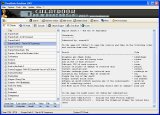
CheatBook DataBase 2015
is a freeware "cheat-code tracker" that makes hints Tricks and cheats (for PC, Walkthroughs, PSP, Sega, Wii, Playstation, Playstation 2, Playstation 3, Nintendo 64, DVD, Gameboy
Advance, Gameboy Color, N-Gage, Nintendo DS, XBox, XBox 360, Gamecube, Dreamcast, Super Nintendo) easily accessible from one central location. All Cheats inside from the first CHEATBOOK january 1998 until today.
More Infos
|
|
|
Jedi Knight Jedi Academy for PC Cheats - Jedi Knight Jedi Academy Codes - Jedi Knight Jedi Academy Cheat Codes
|
