|
Browse By PC Games Title:
|
|
|
|
Janes Combat Simulations F15 Cheats |
Jane's Combat Simulations - F-15

Fly any plane:
--------------
* Go to the mission builder, and create a mission. Click on "Add plane" if
  there is not already one on the runway. Then, right click on the plane
  icon. Change the aircraft type from the normal F-15E to any plane in the
  game (Su-27, MiG-29, 707, etc.) Note: The plane that is selected will
  still look like the F-15E on the inside. Press [F8] to switch to the
  outside view to see the aircraft. Additionally, the plane will still
  perform like the F-15E, allowing you to do barrel rolls and loops in
  a 707.

* Go to make your own mission. Your aircraft should be listed. Delete what
  it says is you. From here, click "Add Aircraft". Select what you want to
  fly from the list. Select any other information and then click the
  "Computer Controlled" box to change it to "Human Controlled" if it already
  is not listed as such. Add what you want, save it, and fly it in the
  missions menu.


Flip and land:
--------------
Go to "Training", then go to "Take off" and "Nav". When asked you to take
off, set the throttle to 100%. Then, release the brakes and pull up. Do
not stop pulling up. You will do a flip and appear to crash, but strangely
just land.
Note: Pull up as soon as you release the brakes.
|
|
Spotlight |
|
|
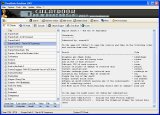
CheatBook DataBase 2015
is a freeware "cheat-code tracker" that makes hints Tricks and cheats (for PC, Walkthroughs, PSP, Sega, Wii, Playstation, Playstation 2, Playstation 3, Nintendo 64, DVD, Gameboy
Advance, Gameboy Color, N-Gage, Nintendo DS, XBox, XBox 360, Gamecube, Dreamcast, Super Nintendo) easily accessible from one central location. All Cheats inside from the first CHEATBOOK january 1998 until today.
More Infos
|
|
|
Janes Combat Simulations F15 for PC Cheats - Janes Combat Simulations F15 Codes - Janes Combat Simulations F15 Cheat Codes
|
